Pick up your rental vehicle

Skip the counter, not the service!

New here? See how it works

  • Live video assistance
  • Sessions are recorded*

Before you start:

  • ID verification completed
  • Your mobile phone

How Does Live Virtual Pickup Work?

4 easy steps
Required before arrival

Before we can complete your rental and release your vehicle, you must complete the mandatory digital identity verification through our partner Onfido.

You can complete this quick and secure process from home up to 24 hours before your rental. It typically takes only a few minutes and helps us confirm your identity and protect against fraud.

Complete your digital identity verification

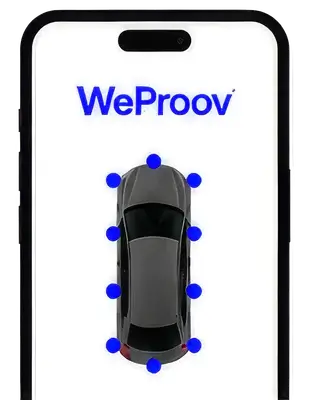
WeProov GO Digital Vehicle Inspection

Required before leaving

Before you leave, please complete your digital vehicle inspection by taking photos of the vehicle and reporting any visible damage via the WeProov GO app.

This helps document the vehicle’s condition at the start of your rental and protects both you and GlobeCar by ensuring a clear and accurate record.

You must complete the inspection within 30 minutes of receiving your keys.

Download the WeProov GO app Available on iOS and Android

Returning Your Rental Vehicle

Available 24/7
  1. Refill the fuel tank to the same level as at pickup (unless you selected the prepaid fuel option).
  2. Park the vehicle in a designated GlobeCar parking space.
  3. Leave the parking entrance ticket on the vehicle dashboard (if applicable).
  4. Remove all your personal belongings from the vehicle.
  5. Lock the vehicle.
  6. Drop the vehicle keys into the GlobeCar key drop box.
The GlobeCar key drop box
The GlobeCar key drop box (step 6)

After the return: We will inspect the vehicle and close your contract within the next 24 business hours. You remain responsible for the vehicle until the return has been processed by one of our team members.

Returning outside business hours?

Simply follow the same steps above.

Need help or having trouble starting your rental?

3 quick checks

Need help or running late? Call us: +1 (514) 733-0988.

Have questions about live virtual pickup? For more information, visit our FAQ.

Visit our FAQ

No Internet? .

Free Wi‑Fi at most of our branches

Driver’s licence

Bring a valid driver’s licence in your name, written in the French or English alphabet.

Not expired

Licence in another alphabet?

Bring one of these with your licence:

Not accepted

Second piece of ID

A valid, government-issued second piece of ID with your photo and name is required to pick up your vehicle.

Your photo

For example

Not accepted

Credit card required

Bring a physical credit card in your name, with your name printed on the card.

Your name printed on the card

We accept

We don’t accept

Not sure? Debit cards usually say DEBIT on the front.

Proof of insurance

Our Collision Damage Waiver (CDW) is required, unless you give us written proof of coverage when you pick up your vehicle.

Two ways to be covered

A premium credit card Pay for your rental with a premium credit card that includes car rental coverage.

or

Your own insurance policy Your car insurance policy with the QEF 27 endorsement (FAQ 27), which covers vehicles you rent.

No written proof at pickup? Our CDW is required.

Ask your card issuer or insurer for this written proof before you come.

Camera, microphone and connection test

Camera preview

Free Wi‑Fi at most of our branches

Location check

Free Wi‑Fi at most of our branches

We use your location only to confirm you’re at one of our branches. It stays on your phone and isn’t saved or shared.